Case study · OCR and document AI
Project managers hand-copied metadata from 500+ page drawing sets, so I built a tool that reads it for them.
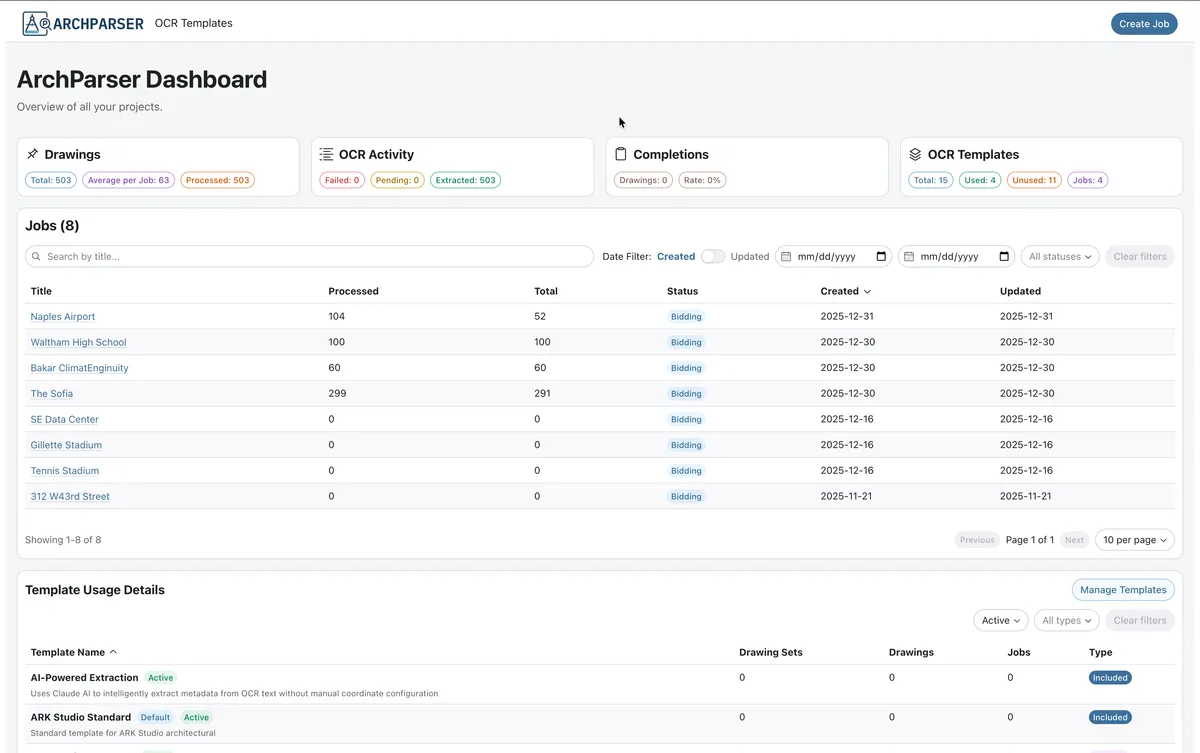
ArchParser extracts drawing numbers, titles, dates, and revisions from architectural PDFs, even when every firm lays out its title block differently.
- Role
- Sole product designer, researcher, and full-stack developer
- Timeline
- 6 to 8 months, kickoff to demo-ready
- Worked with
- Solo, with no second designer, researcher, or developer. Project planners and managers at Component Assembly Systems, with Claude Code as a development partner
- Status
- Demo-ready, built to test and deploy
- 200+Drawings processed in demonstrations
- 4 to 5 hrsEstimated savings per drawing set, an estimate from users and not a measured result
- ReadyTo test and deploy on a single source of information
Some details are omitted for confidentiality.
Step 1 · Context
Entering drawing numbers and revision dates by hand was slow and error-prone on 500+ page sets, and no tool handled custom title blocks.
OpportunityHow might project managers get drawing metadata without typing it, however each firm lays out its title block?
What I did alone
ArchParser had one person on it, so every layer of the product went through me, from the first interview to the last test.
I interviewed project planners and managers about how they pulled metadata from drawing sets, then turned what I heard into requirements, including support for title block layouts that vary by architectural firm.
I designed the template creator, the confidence and review model, the dashboard, and the drawing review screens, and kept them consistent with patterns users already knew.
I built the React and Vite frontend with RadixUI, the NestJS backend, and the OCR pipeline, with Claude Code as a development partner. The backend has 14 test suites with 53 tests, and the frontend and backend share TypeScript types.
Step 2 · Research
I interviewed planners and managers before designing anything. Two findings shaped the product.
Layouts never stand still
Title blocks vary by firm, file type, and project size, and projects can’t wait on a developer for each one.
Trust is a dial
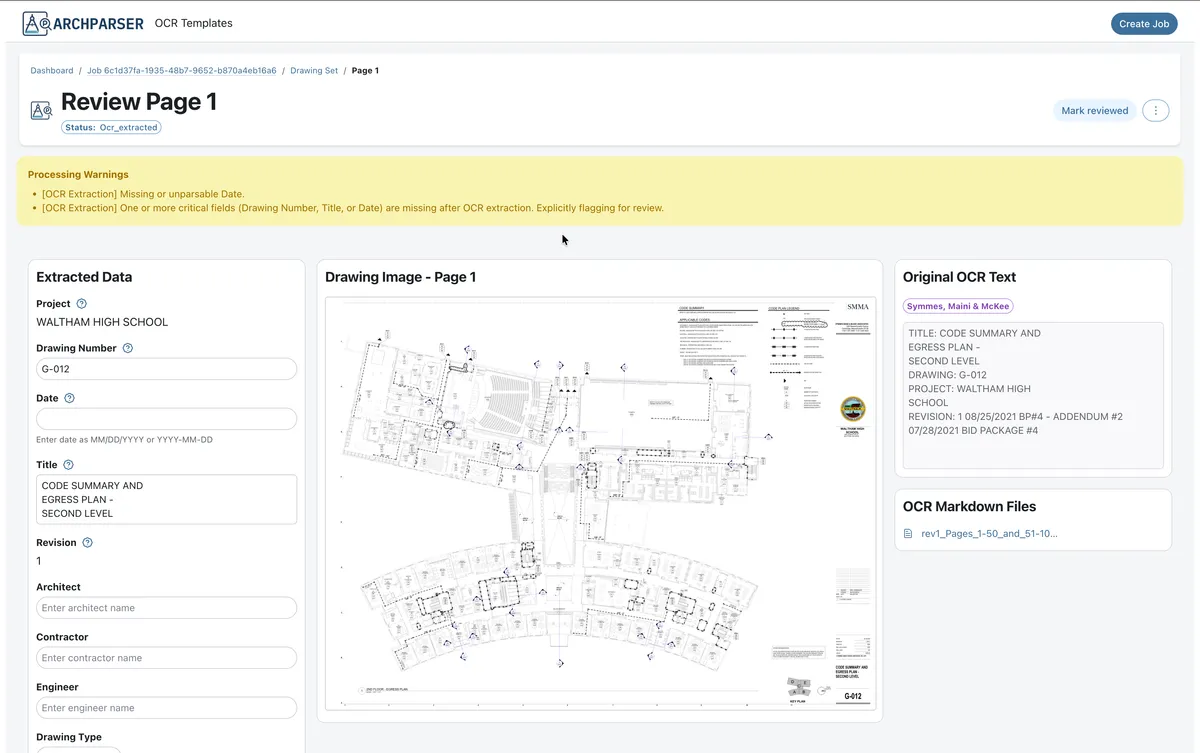
At confidence around 75 out of 100, users generally proceeded, and still reviewed a random sample.
Users of the manual process estimated about 4 to 5 hours saved per drawing set.
I interviewed 2 project managers and 3 planners about how they pull drawing metadata today.
Step 3 · Key decisions
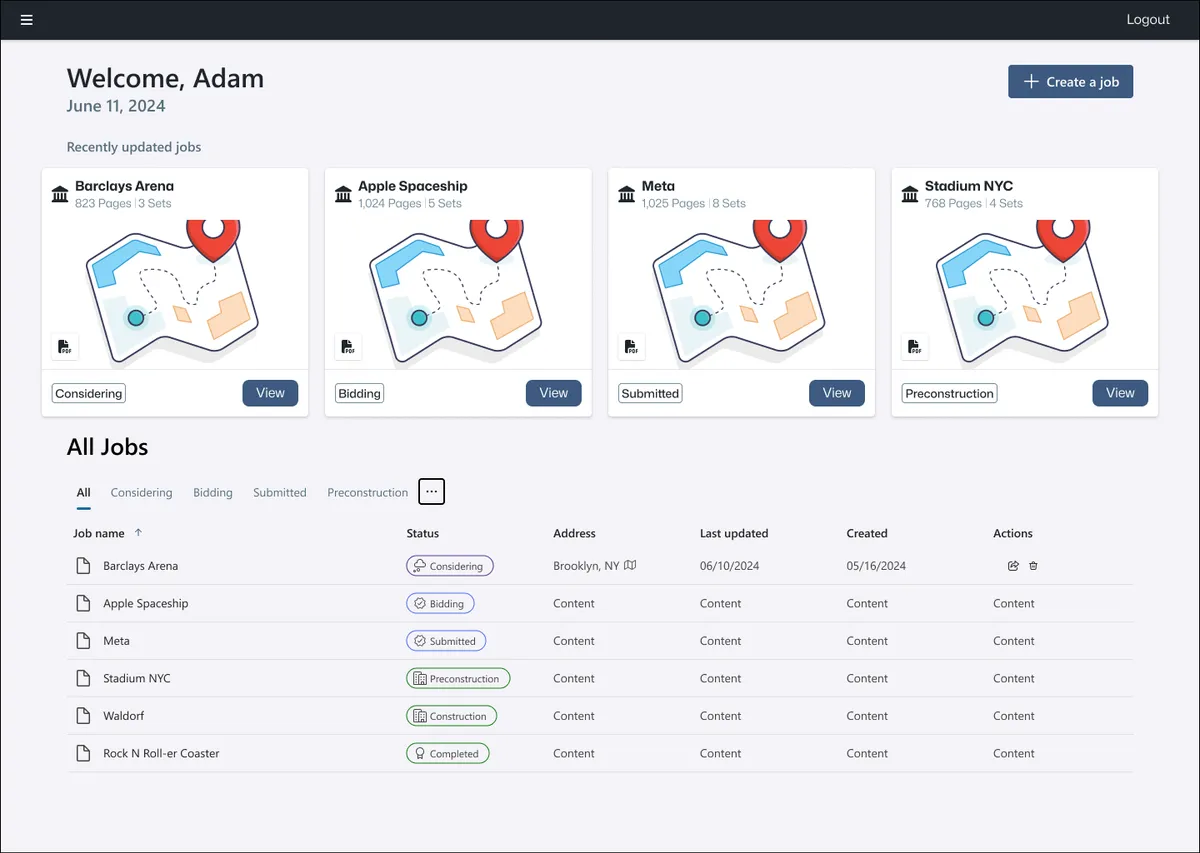
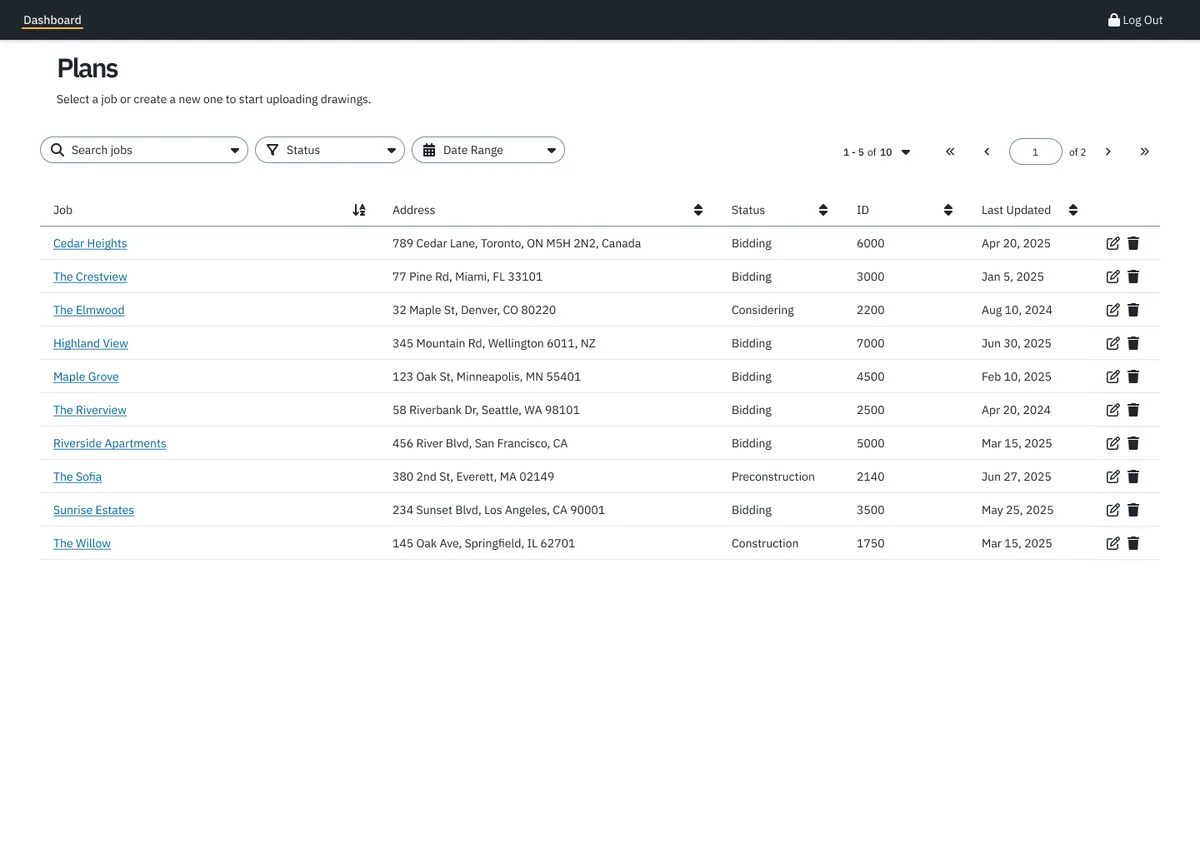
Four decisions shaped how people use ArchParser, and one idea held throughout: get users into their jobs quickly.
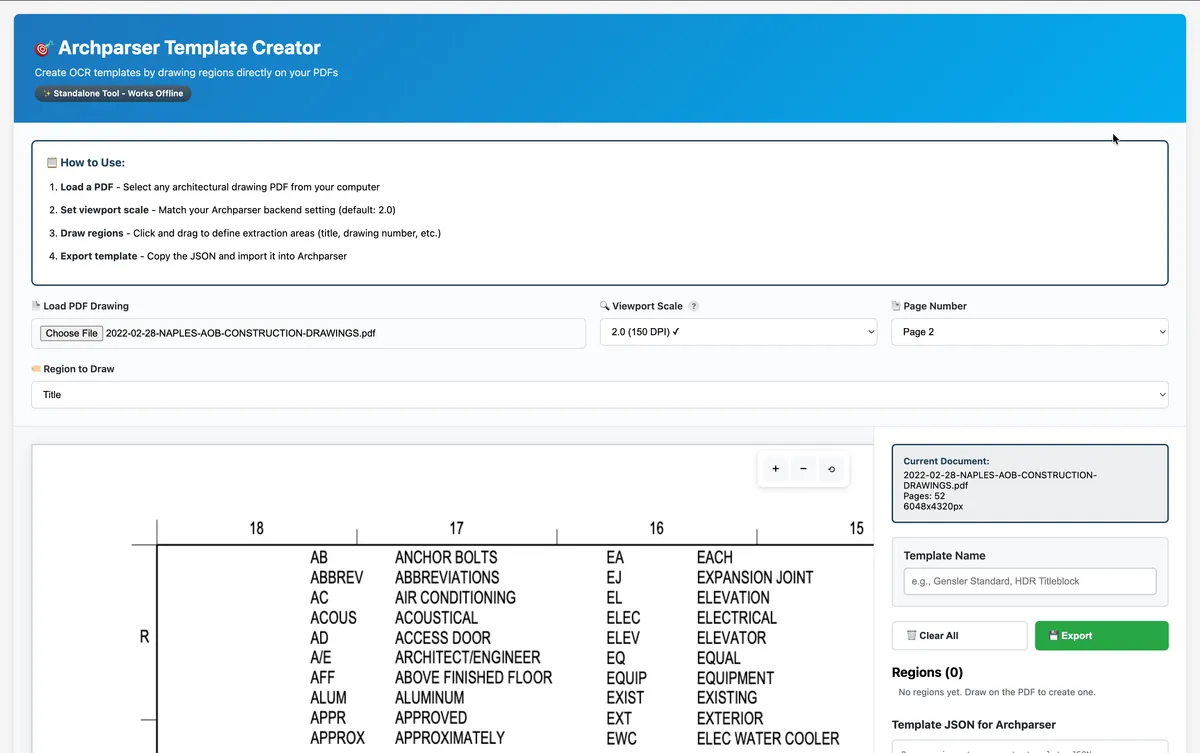
Users build templates, not developers
A visual creator replaced developer-configured templates, so projects never wait on a developer. Because I was designing and building it, I could ship it as a standalone offline tool instead of writing a spec for someone else to interpret.
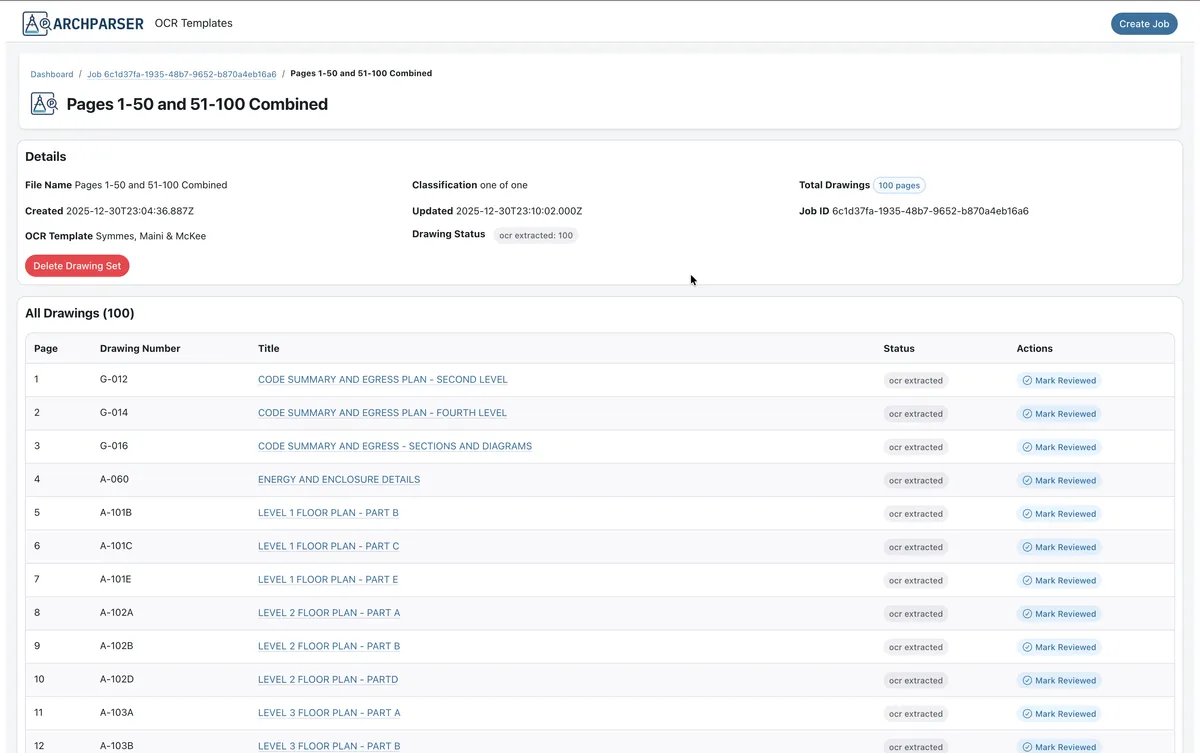
Confidence, not blind trust
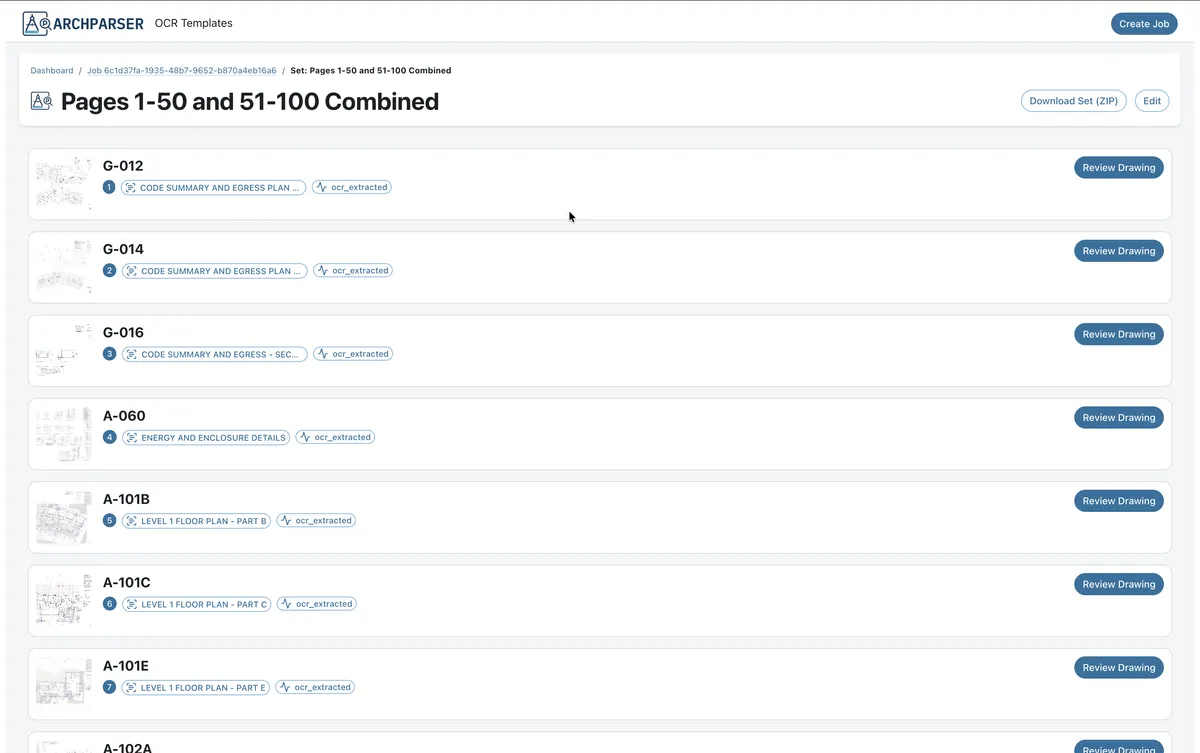
Each extraction shows a score out of 100 and can be fixed inline. Since I owned the whole stack, I could carry that decision from the OCR output through to the inline correction in the review screens.
Consistency over novelty
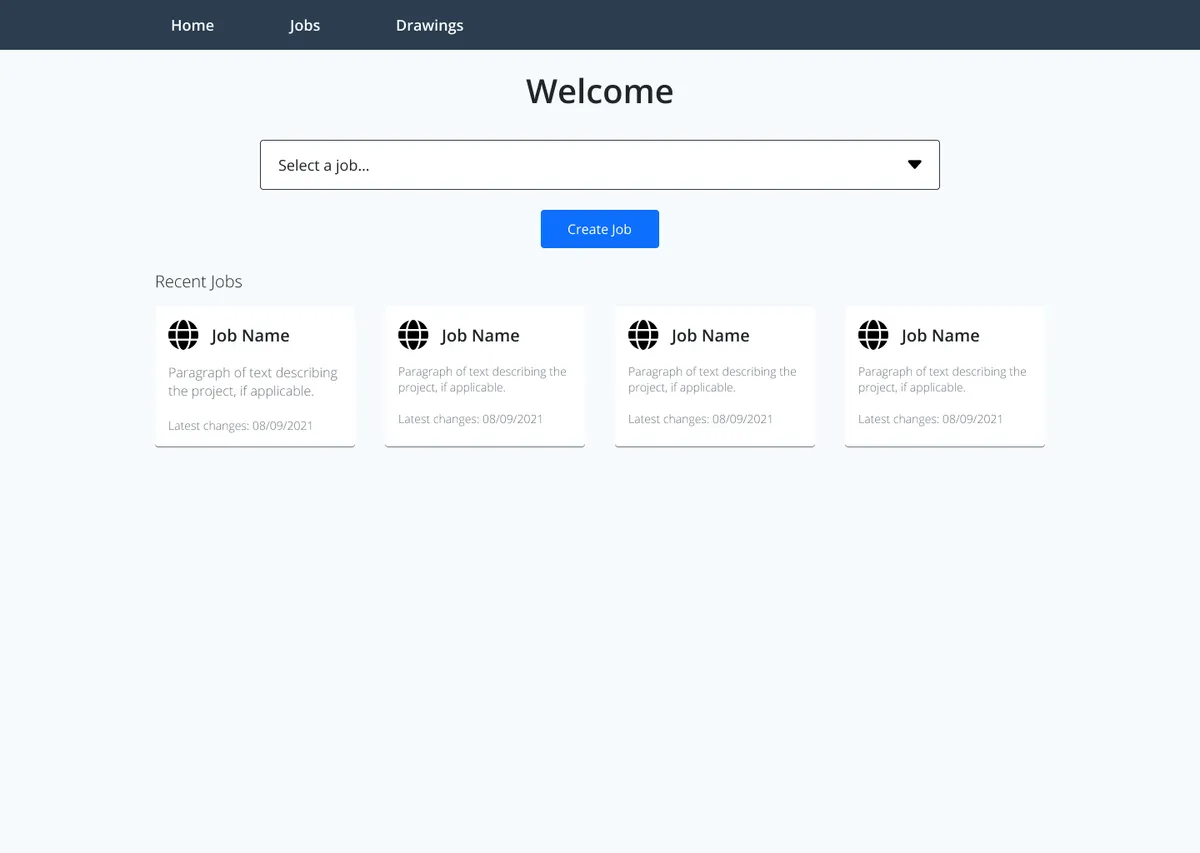
I declined AI-suggested layouts that broke patterns users already knew.
AI search is optional
It supports Claude, OpenAI, or a local model, and the core product works fully without it.
Real-world tests forced two fixes
500+ page PDFs ran out of memory, so I moved to adaptive batches. Records lost their links after restarts, so I centralized paths and migrated 373 records.
Claude Code’s suggested button placements and layouts might improve the interface.
They differed from patterns already in the system, and changing familiar patterns would hurt people who knew it.
I kept the existing patterns. Claude Code sped up implementation, and with no second designer to review the call, judgment stayed with me.
Step 4 · Final design
Users draw regions on a sample PDF, label them, and export a template. The tool works offline.
Step 5 · Impact
Demo-ready, and built to cut half a day from each drawing set.
- 200+Drawings processed in demonstrations.
- 4 to 5 hrsEstimated savings per drawing set. This is an estimate from users, not a measured result.
- ReadyTo test and deploy on a single source of information.
Step 6 · What I learned
Test with real data, empower users, and keep judgment human.
Test with realistic data from the start
Small PDFs worked. Real 500+ page sets failed.
Empowering users beat clever engineering
The template creator did more for adoption than any optimization.
An AI partner speeds implementation, not judgment
Decisions about what users already know stayed with me.
Owning every layer shortens the loop and removes the reviewer
When real-world testing exposed the memory and path problems, I could change the design, frontend, and backend in one pass instead of handing a ticket across a team. The tradeoff was that nobody else was checking my work, which is why I leaned on tests and shared types.